Your voice
Put your catchphrase on a punch.
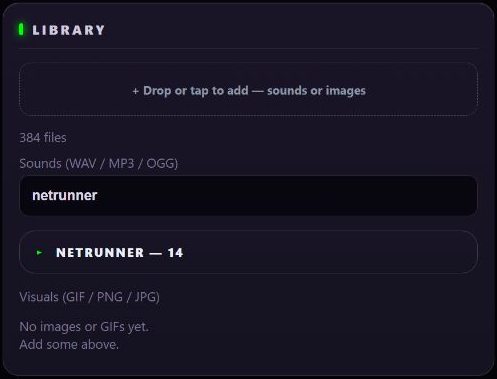
Upload your own sounds and pictures, then give them to any gesture. WAV, MP3 or OGG for the sound, GIF, PNG or JPG for the screen.
Turn wrist gestures into character sounds and animated effects. Choose your character and make your costume part of the performance.
Compatible Wear OS watch required. The original 30 character kits, sounds and visuals are free. See how it works.
A new look is on the way.
The redesigned watch scenes and swipe menus are being prepared for the next release. Start now with the 30 free characters.
Cyborg
What it does
Pick a character, tap the center to arm, then make your move. A recognized gesture plays its assigned sound and visual effect. The watch works on its own; add other devices when you want to expand your setup.
In the new watch design, artwork fills the screen. Names and gesture numbers appear briefly when you change profiles; swipe vertically for connection, sound and visual controls. Hold a gesture area to switch it on or off.
Start with the included character sounds. Play through the watch, a paired Android phone, or browser Mission Control on the same Wi-Fi.
The watch's animated effects follow your character. The phone companion's VFX Stage gives them a larger screen.
Configure HTTP, OSC or Art-Net cues for compatible lights and props. External hardware and setup are required. Explore the manual.
CosNFX Pro
Put your own catchphrase on a gesture. Fill the watch with your artwork. Make compatible lights and props react to your moves. Build a performance that feels like your character.
Optional one-time upgrade
Start with the free characters. Choose Pro when you want your own sounds, artwork, moves and connected props.
Existing buyers keep Pro. Paid profile packs are separate purchases.
Upload your own sounds and pictures, then give them to any gesture. WAV, MP3 or OGG for the sound, GIF, PNG or JPG for the screen.
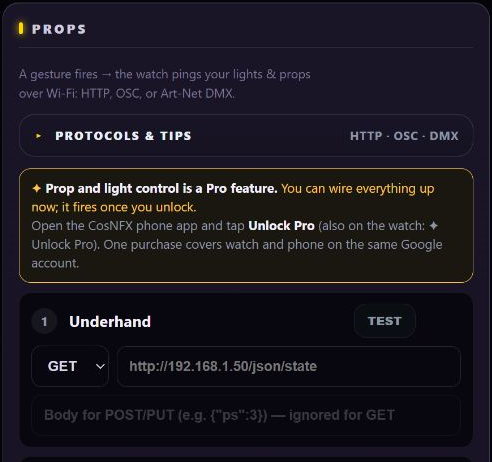
A gesture can flash a WLED strip, switch a Hue light, start a smoke machine through Home Assistant, or cue a lighting desk over Art-Net or OSC. You bring the hardware and set it up.
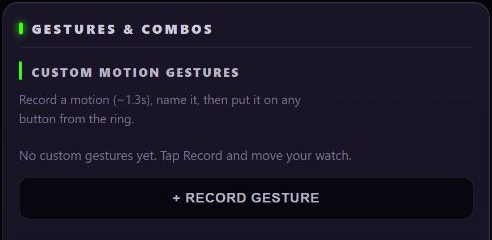
Record a motion of your own, name it and assign it like any built-in gesture. Then chain it into a combo with a finisher sound. Combos are free.
Link watches on the same Wi-Fi. Strikes deal damage and a held Raise blocks, each with its own reaction sound. Every watch in the battle needs Pro.
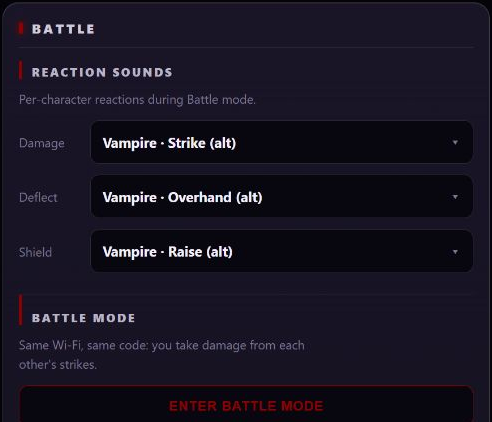
Also in Pro: run Mission Control from more than one phone or laptop at once. One is free.
Actual app screens. The scene interface shown is being prepared for the next release.The full kit
Use the watch on its own, or connect a phone, browser and configured props. Features are free unless marked Pro.
Underhand, overhand, strike, down-punch, fist pump, fist-clench & raise — seven built-in moves, enabled on a fresh install. Tap the center of the watch screen to arm; tap again to disarm.
Record your own signature moves with Pro, then chain any built-in or custom gestures into timed finisher combos. Combos are free.
A big built-in library of themed effects, all free. Assign any sound to any gesture — or upload your own WAV, MP3 & OGG Pro.
Choose built-in backgrounds, visual effects and colours for free. Upload your own background artwork through browser Mission Control with Pro.
Calibrate Underhand, Overhand, Down-punch, and Strike to your motion for free. Choose your wrist in System, then rehearse and adjust before a performance.
Send each gesture's sound to the watch, your phone, or any browser — and split the main and support layers across devices, however you like.
Connect additional browser clients for control and sound playback. Each client uses your local Wi-Fi connection.
A full control panel the watch serves to any browser on your Wi-Fi. Your buttons appear as a live ring — tap a pad to set its gesture, sound, and effect, and watch it flash as you perform. Locked to a 6-digit PIN the watch shows you.
Edit identities, sounds, looks, and gestures over Bluetooth, with phone audio and camera-flash effects. Media uploads and prop tests open browser Mission Control over Wi-Fi.
Drive WLED, Hue, Home Assistant (smoke & fans) & ESP32 over Wi-Fi — plus DMX (Art-Net) and OSC for lighting consoles and show-control.
Link two or more watches over Wi-Fi for versus play — strikes deal damage, a held raise blocks. Cosplay face-offs, reenactments, LARPs, or a backyard duel.
The watch detects gestures and plays sound offline. No CosNFX account or ads; the developer collects no personal data or app analytics through the app. Optional connections are explained in the privacy policy.
The gesture set
Seven built-in gestures are included. Tune the four directional gestures with free calibration; Pro adds custom gesture recording. Combos are free.
In the next update: scene artwork, a soft center activation area and swipe menus. The release is being revised before publication. See what's new.
30 identities — each its own colour, sound kit & energy field
Actual watch app
CosNFX is a true Wear OS app — the HUD, the engine, and the sound all live on the watch. Arm it, throw the gesture, and it fires with nothing else in the room. Bring in your phone or Wi-Fi only when you want more: a louder speaker, the browser control panel, real props, or Battle mode.
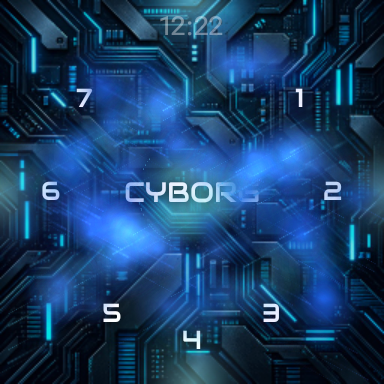
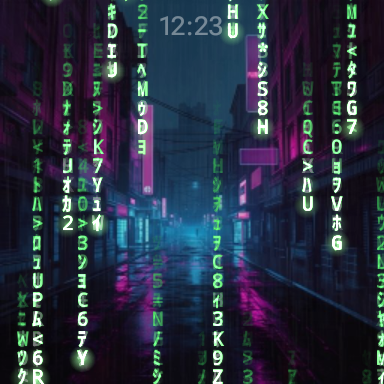

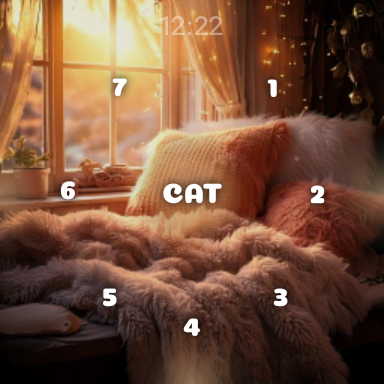
Native app captures of the upcoming watch interface.
Updated interface preview
Artwork fills the watch face, with a soft center activation area and swipe menus for connection, sound and visuals. See the new look alongside Pro's personal media and prop tools in these actual app captures. The 2.18.0 update is in Google Play review.
30 seconds · silent preview · Wear OS watch required. Personal uploads and connected prop controls require Pro; prop hardware and setup are separate.
Pricing
The original 30 characters, their current kits, the included sound and visual library, and all seven built-in gestures stay free. Pro is an optional one-time purchase. No subscription.
The built-in library and controls, ad-free.
For a character or costume built around your own ideas. Everything in Free, plus:
Buy once. Keep Pro. Use the same Google Play account on your phone and watch for your purchase. The original characters and included library remain free. Paid profile packs are separate and are not included in Pro.
Explore the Pro featuresNew watch scenes and swipe menus are being prepared for the next release · Read what's coming
A plain-English walkthrough — arm the watch, learn the gestures, build your own identity, wire up lights and smoke, and run a Battle. Everything the app can do, step by step.
Straight answers
Use a compatible Wear OS watch; Google Play shows availability for your device. Gestures are tested and tuned on Galaxy Watch 7. Other watch models may need calibration and rehearsal. Prefer a turnkey device? Join the waitlist for a standalone CosNFX watch with the software pre-installed.
The original 30 identities, their built-in sound and visualization library, all seven built-in gestures, combos, and one browser Mission Control connection are free. Pro adds custom gesture recording, personal audio and image uploads, external prop cues, extra Mission Control connections and Battle mode. Pro is an optional one-time purchase, with no subscription; Google Play shows your regional price.
No. CosNFX Pro is a one-time Google Play purchase. Your phone and watch should use the same Google account. Existing Pro owners keep their access.
Paid profile packs are separate from Pro. Sports and Arcade Night are in development and are not available to buy yet. The original 30 character profiles remain free.
The watch is fully standalone — it fires sound entirely on its own, with or without Wi-Fi. Your phone joins over Bluetooth as a louder speaker — no Wi-Fi needed. Bring in Wi-Fi for the browser control panel, prop triggers (lights/smoke), or Battle mode.
CosNFX is a Wear OS app, so the watch part runs on compatible Wear OS watches, not Apple Watch. The control panel is a web page, so any phone's browser — iPhone included — can configure it and act as a speaker.
Open Mission Control (or the companion app) and edit any identity — pick sounds per gesture from the built-in library, set the look, and tune sensitivity. With Pro you record your own gestures and upload sounds and art through browser Mission Control on the watch's Wi-Fi. The full walkthrough is in the manual.
The developer collects no personal data or app analytics through CosNFX. Watch gestures and sound work offline. Browser Mission Control connects directly over local Wi-Fi using the watch's 6-digit PIN; use a trusted network or your own hotspot. The phone companion uses Google's Wear Data Layer, which may route through Google's cloud when Bluetooth is unavailable. Optional HTTPS prop cues go to the destinations you configure. Google Play purchases and Android system backup also follow their respective services and settings. See the privacy policy.
Get CosNFX
CosNFX is out now on Google Play — free to install, yours to make your own. Grab it and arm your first identity in minutes.
Free · Compatible Wear OS watches · no CosNFX account, no ads